Haunt’s prefix is set to
; by default.Use
;prefix set [character]to change the prefix for your server.Creating a new reaction
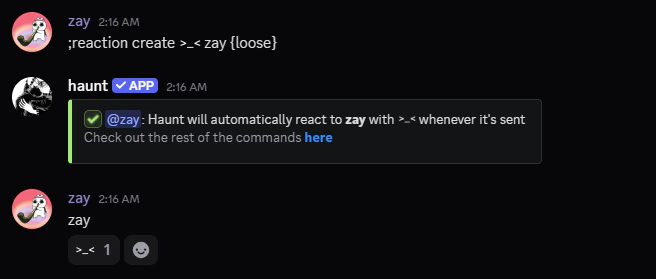
Get started by using thereaction create command.
What flags can I use with reactions
Here are the flags that are available for creating reactionsLoose Match
Loose Match
The
As an example, If the message is
{loose} flag will search for the trigger anywhere in the message.As an example, If the message is
zay, Haunt will react to zay is funny.Delete an existing reaction
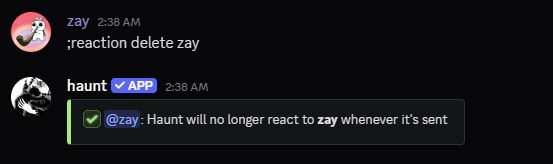
Delete an existing reaction by using thereaction delete command.
View every existing reaction
Remove every existing reaction
Update an existing reaction
Here are the following subcommands to update settings for a reaction.Message
Message
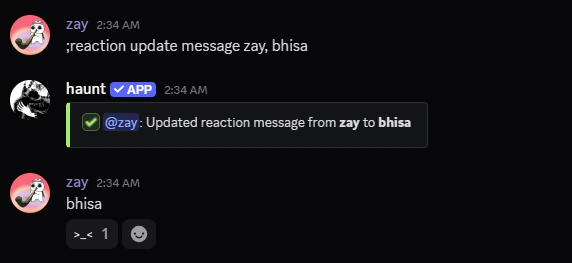
This command will update the message which triggers the reaction.
Emoji
Emoji
This command will update the reaction that sends when it’s triggered.
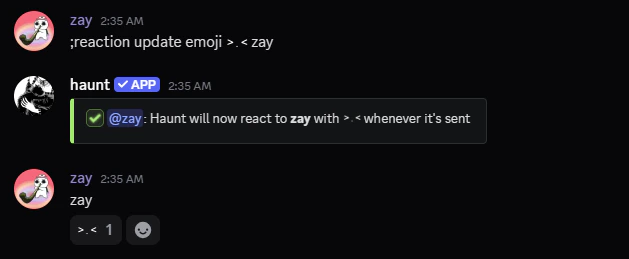
Loose
Loose
This command updates the loose setting for the reaction.
Cooldown
Cooldown
This command updates the cooldown setting for the reaction.
Match
Match
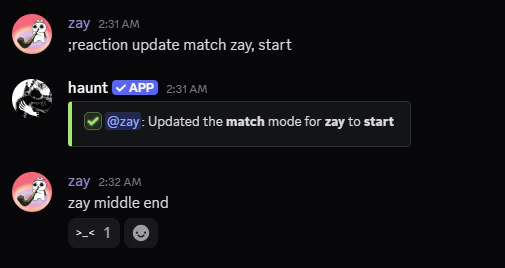
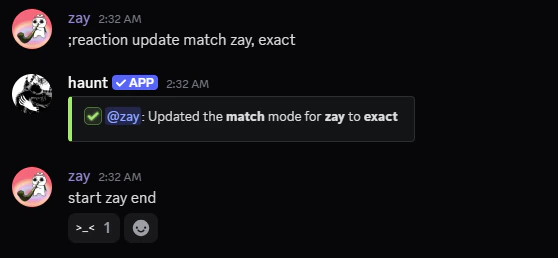
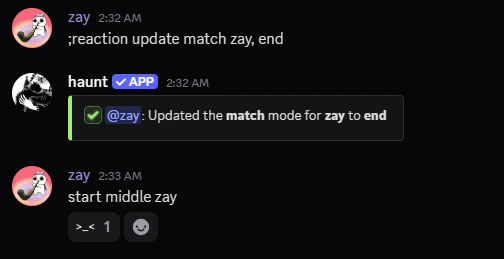
This command updates the match setting for the message.
Start means the message trigger has to be at the start of the message.
Restrict a reaction to a role
Start by using thereaction role command.
Remove a reaction from a restricted role
Remove a reaction from a restricted role
View the reactions restricted to roles
View the reactions restricted to roles
Clear every reaction restricted to a role
Clear every reaction restricted to a role
Restrict a reaction to a channel
Start by using thereaction channel command.
Remove a reaction from a restricted channel
Remove a reaction from a restricted channel
View the reactions restricted to channels
View the reactions restricted to channels
Clear every reaction restricted to a channel
Clear every reaction restricted to a channel
What else can I do?
You can also entirely ignore amember, role or channel from triggering reactions.Ignore a member
Remove a member from being ignored
Remove a member from being ignored
View every member being ignored
View every member being ignored
Clear every member being ignored
Clear every member being ignored
Ignore a role
Remove a role from being ignored
Remove a role from being ignored
View every role being ignored
View every role being ignored
Clear every role being ignored
Clear every role being ignored
Ignore a channel
Remove a channel from being ignored
Remove a channel from being ignored
View every channel being ignored
View every channel being ignored
Clear every channel being ignored
Clear every channel being ignored