Documentation Index
Fetch the complete documentation index at: https://docs.haunt.site/llms.txt
Use this file to discover all available pages before exploring further.
; by default.;prefix set [character] to change the prefix for your server.Creating a reaction role
Start out by using the reactionrole create command.
You can use either a message Id or a message link to provide the message you want Haunt to react to.
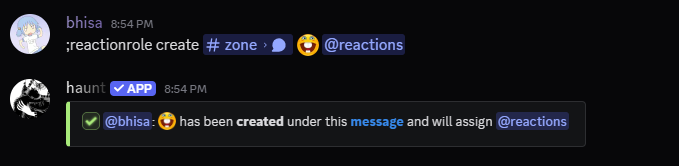
If Haunt has the correct permissions to view the channel and react to messages.
The message that you provided should have the emote reacted onto it.

Deleting a reaction role
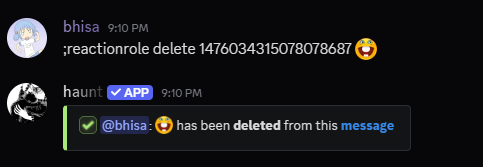
Start by using the reactionrole delete command.
You can use either a message Id or a message link to provide the message.
Updating a reaction role
There are 2 subcommands to update a reaction role.
You can use the reactionrole update role command to update the role given from a reaction role.
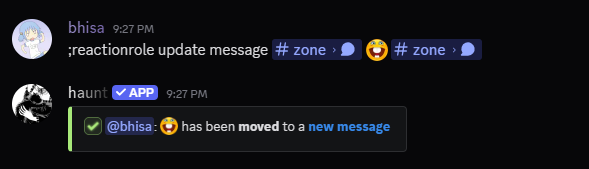
Or you can use the reactionrole update message command to move a reaction role to another message.
Updating the role
Start by using the reactionrole update role command.
You can use either a message Id or a message link to provide the message.

Updating the message
Start by using the reactionrole update message command.
You can use either a message Id or a message link to provide the message.