
What is Booster?
Booster allows your members to create and customize their own role when they boost your server!
Configuring Booster for the server
Start by using the booster enable command.
This will make it so boosters in the server can create their custom roles!
Setting the Base Role
Start by using the booster base command.
This will make it so any custom role created will go under that base role
Setting the max shared roles
Using the booster share max comamnd sets the amount of roles that a user can share.
Creating your Custom Role
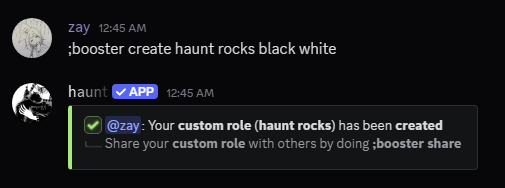
Start by creating your role with the booster create command.
Configuring your Custom Role
There are 7 subcommands you can use to configre your custom role.
Deleting your Custom Role
Deleting your Custom Role
Renaming your Custom Role
Renaming your Custom Role
Recoloring your Custom Role
Recoloring your Custom Role
Making your Custom Role Mentionable
Making your Custom Role Mentionable
Setting an Icon to your Custom Role
Setting an Icon to your Custom Role
Removing your Custom Role Icon
Removing your Custom Role Icon
Sharing your Custom Role
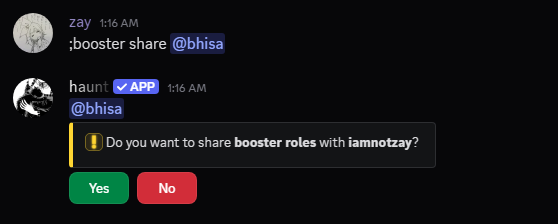
You can share your custom role with other members!
Start with the booster share command.
Leaving a Shared Custom Role
Start by using the booster share leave command.
View who you’re sharing your Custom Role with
Start by using the booster share view command.
Clear who you’re sharing your Custom role with
Start by using the booster share clear command.