; by default.;prefix set [character] to change the prefix for your server.Setup
To get started use the setup command.
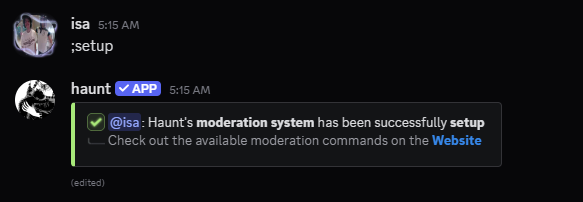
After you’ve used the command you should see 3 new channels and a new role.
A category named haunt moderation and 2 channels named mod-logs and cell
A new role named detained, this will be for detaining bad actors in your server.
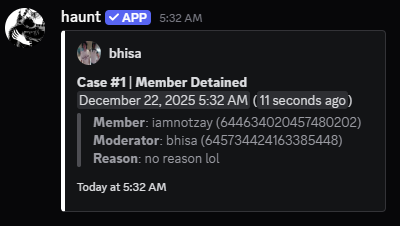
What commands are supported for mod logs?
banunbankicklockunlockdetainreleasemuteunmutewarnwarn removehidereveal
What else can I do?
You can also use the setup mute command for moderation!
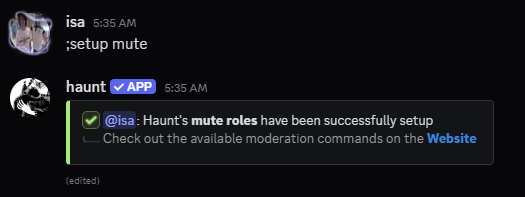
After you’ve used the command you should see 2 new roles.
A role named reaction muted and another role named image muted.
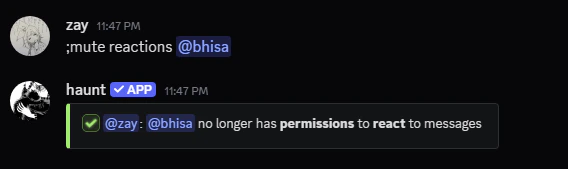
Upon using the command mute reactions for example this will give the member a role.
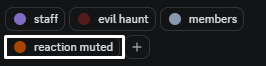
They will no longer be able to react to messages across every channel.
Problems may occur if the permissions are messed with or if they’re an administrator.
How can I change the message of a moderation command?
To set a custom message for SOME of the moderation commands.
You would have to use the invoke command.
Setting a custom response message
Setting a custom response message
invoke release command.View your custom message
View your custom message
invoke release view command.Clear the custom message
Clear the custom message
invoke release clear command.Setting a custom message for dms
Setting a custom message for dms
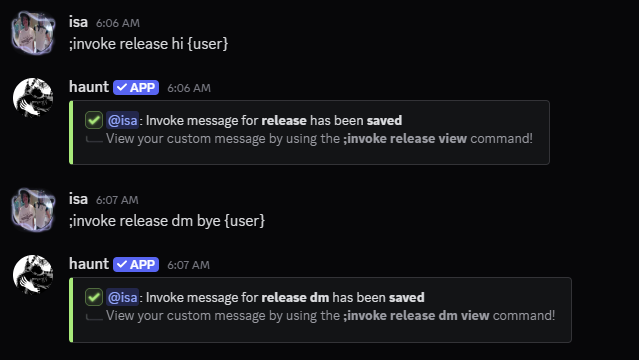
As an example I will be using the invoke release dm command.
The commands for dms follow the same as the regular invoke commands.
What commands are supported for invoke?
banban dmunbankickkick dmdetaindetain dmreleaserelease dmmutemute dmunmutewarnwarn dm