Haunt’s prefix is set to
; by default.Use
;prefix set [character] to change the prefix for your server.How can I create an embed?
To create an embed, you can create one via haunt’s embed creator, this will also show a live preview of how your embed would appear in Discord.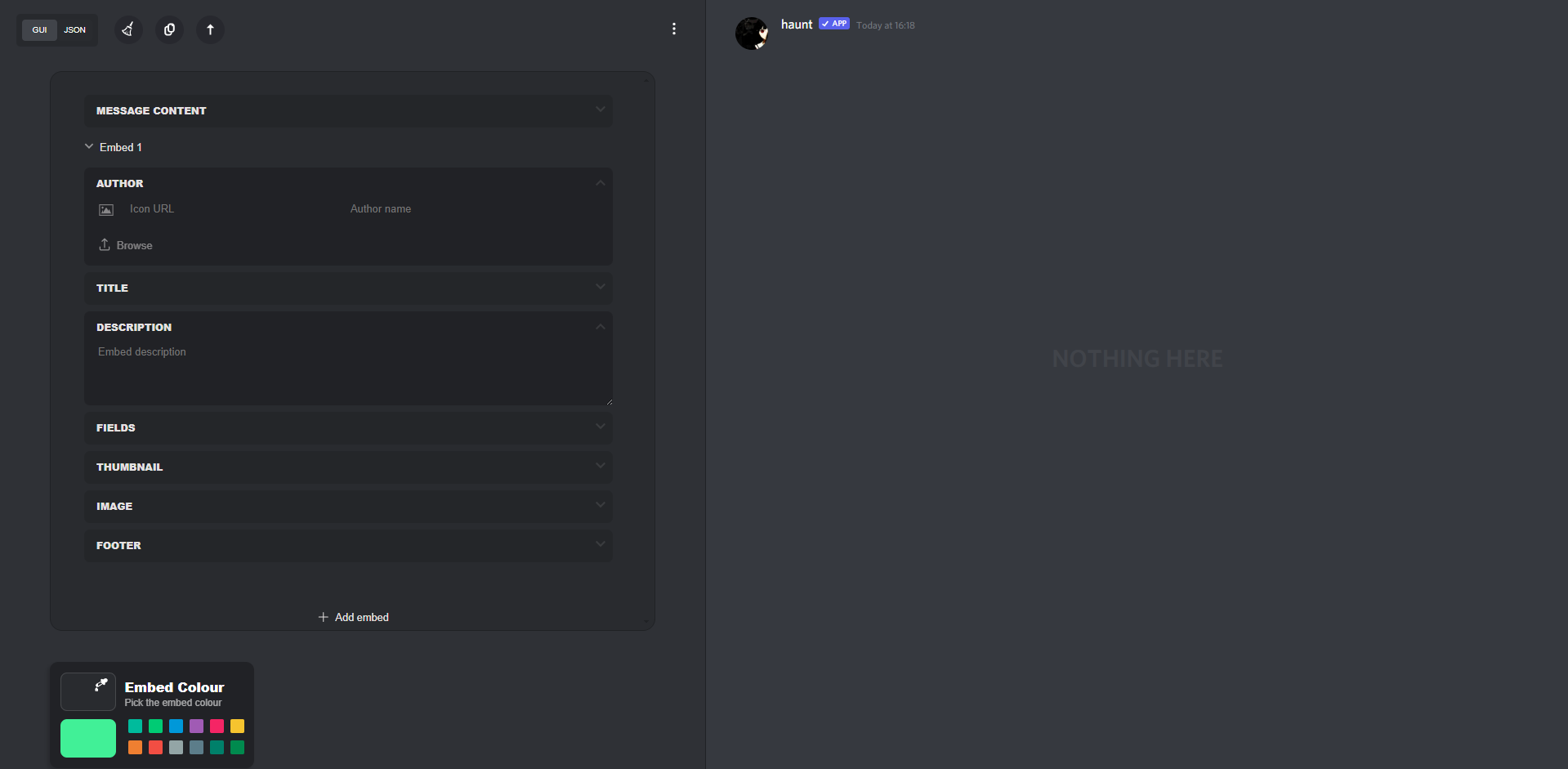
How can I copy the embed script?
Click the button highlighted below to copy your embed script, after doing this follow the next instruction.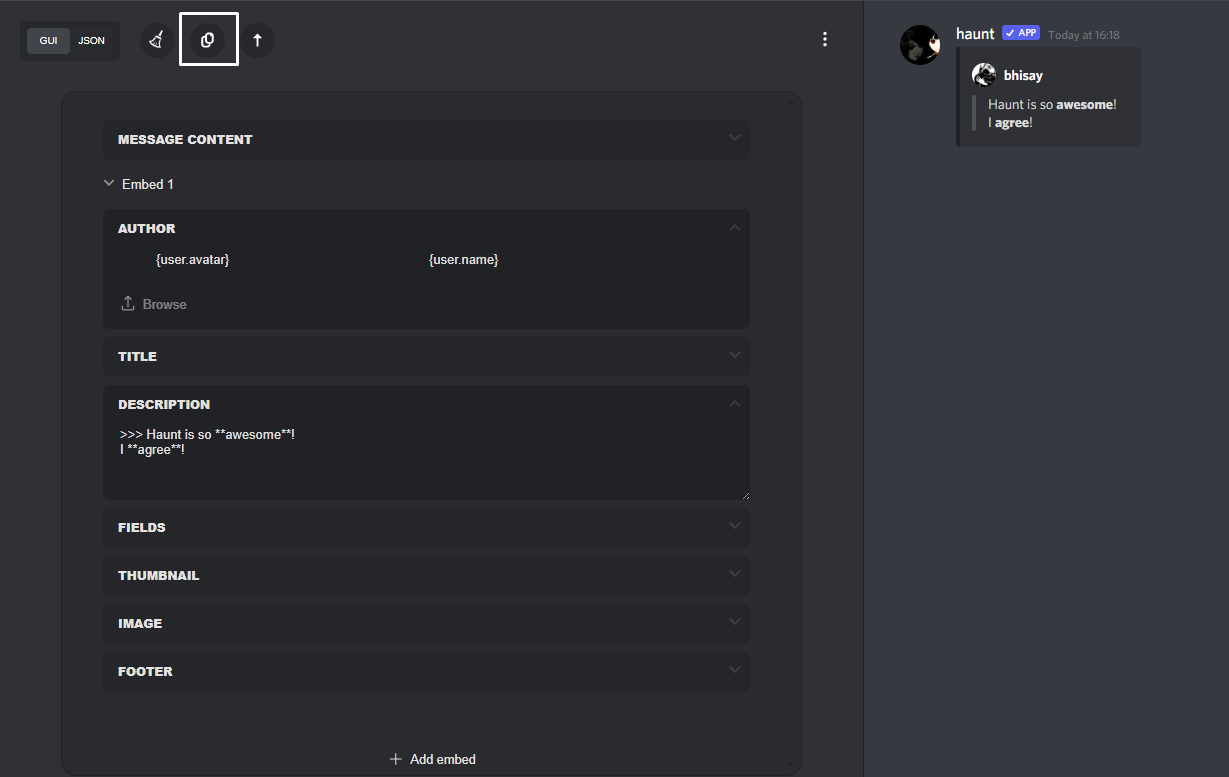
Creating an Embed in Discord
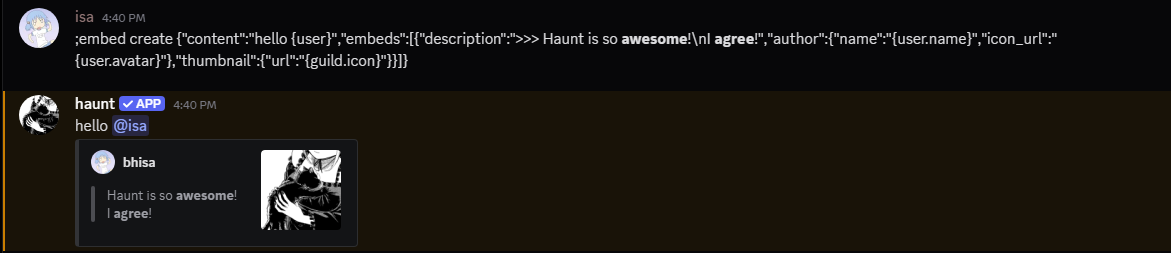
How can I use a Variable in an Embed?

{guild.icon} variable.For a list of haunt’s available variables you can check them here
What commands support Embeds?
The following content below are examples of commanmds that fully support embeds for custom messages.To clear these messages run the command with the
clear subcommand.
The following image below is another example of how to set, view and clear the custom message you’ve created.You can use these subcommands with the commands mentioned below.
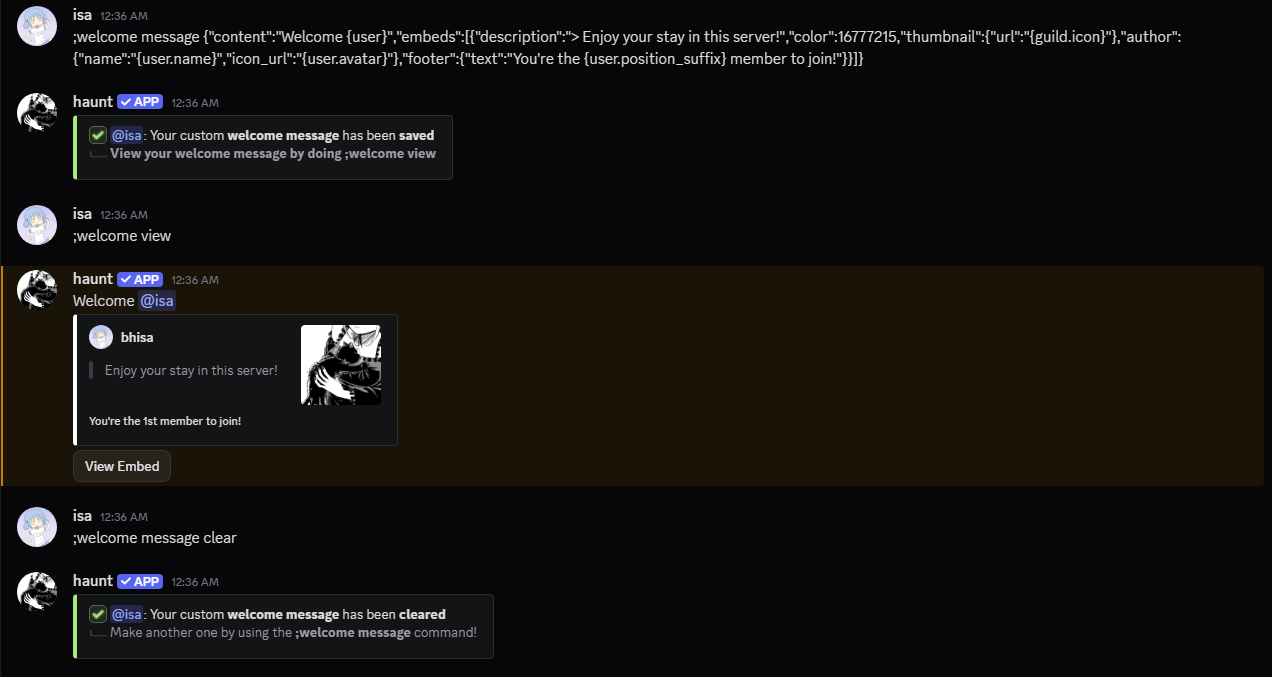
welcome messagegoodbye messageboost messagebump message&bump thankdiscadia message&discadia thanklevel messagejoindm messagevanity message&vanity revokeclan message&clan revokelastfm messagebirthday messagesticky messageresponse createinvoke(refer to here for the available subcommands for invoke messages)
Create an Embed in the Discord App
Don’t want to use the website?You may also use the
/embed slash command to create an embed!This command is still in beta and may subject to break
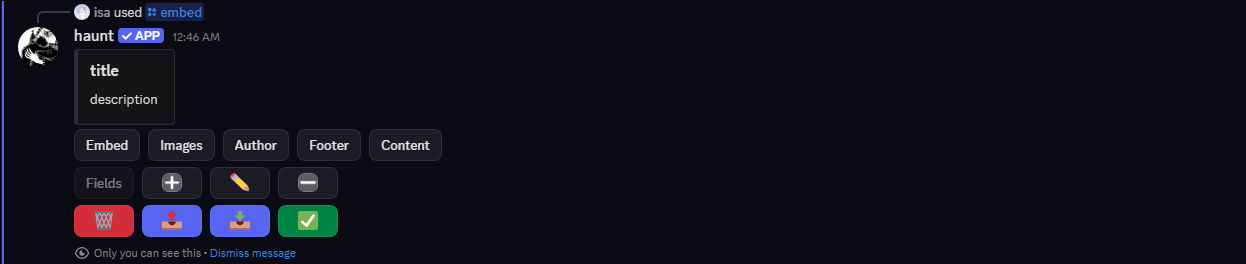
Click the
export button to get your embed script.

Copy the embed script to use it with the commands mentioned or you can send the embed to the current channel.
