> ## Documentation Index
> Fetch the complete documentation index at: https://docs.haunt.site/llms.txt
> Use this file to discover all available pages before exploring further.
# Moderation
> Setup haunt's moderation commands for your server moderators
Haunt's prefix is set to `;` by default.
Use `;prefix set [character]` to change the prefix for your server.
## Setup
To get started use the `setup` command.
Depending on how many channels you have in the server may take a while.
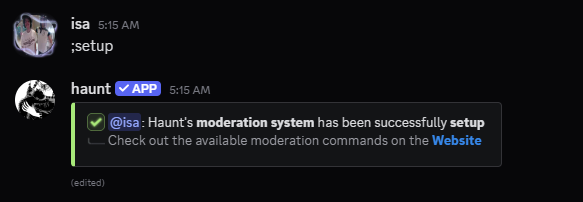
After you've used the command you should see 3 new channels and a new role.
A category named `haunt moderation` and 2 channels named `mod-logs` and `cell`
A new role named `detained`, this will be for detaining bad actors in your server.
You may change the names of the channel or the role to whatever you like!
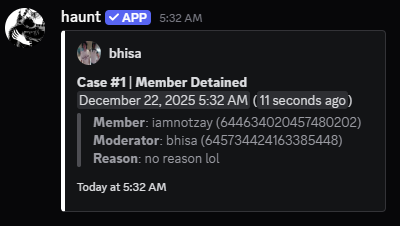
## What commands are supported for mod logs?
* `ban`
* `unban`
* `kick`
* `lock`
* `unlock`
* `detain`
* `release`
* `mute`
* `unmute`
* `warn`
* `warn remove`
* `hide`
* `reveal`
 ## What else can I do?
You can also use the `setup mute` command for moderation!
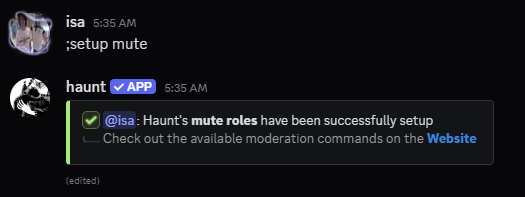
After you've used the command you should see 2 new roles.
A role named `reaction muted` and another role named `image muted`.
You may also change the names of the roles to whatever you like!
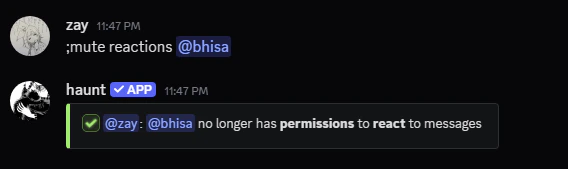
Upon using the command `mute reactions` for example this will give the member a role.
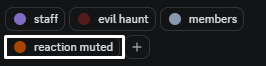
They will no longer be able to react to messages across every channel.
Problems may occur if the permissions are messed with or if they're an administrator.
## How can I change the message of a moderation command?
To set a custom message for **SOME** of the moderation commands.
You would have to use the `invoke` command.
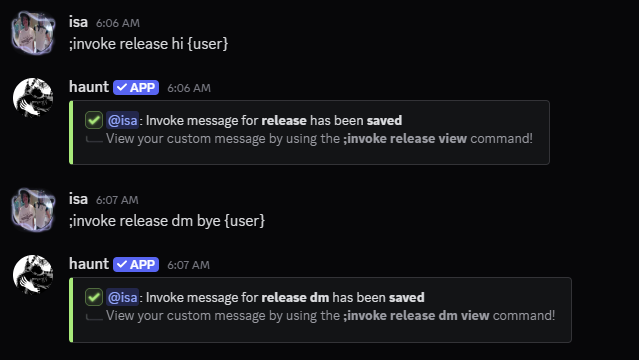
As an example I will be using the `invoke release` command.
```javascript Syntax theme={null}
;invoke release (message)
```
```javascript Example theme={null}
;invoke release {user} has been released for {reason}
```
As an example I will be using the `invoke release view` command.
```javascript Syntax theme={null}
;invoke release view
```
```javascript Example theme={null}
;invoke release view
```
As an example I will be using the `invoke release clear` command.
```javascript Syntax theme={null}
;invoke release clear
```
```javascript Example theme={null}
;invoke release clear
```
As an example I will be using the `invoke release dm` command.
The commands for dms follow the same as the regular invoke commands.
```javascript Syntax theme={null}
;invoke release dm (message)
```
```javascript Example theme={null}
;invoke release dm hi {user}, you've been released
```
 ## What commands are supported for invoke?
* `ban`
* `ban dm`
* `unban`
* `kick`
* `kick dm`
* `detain`
* `detain dm`
* `release`
* `release dm`
* `mute`
* `mute dm`
* `unmute`
* `warn`
* `warn dm`
## What commands are supported for invoke?
* `ban`
* `ban dm`
* `unban`
* `kick`
* `kick dm`
* `detain`
* `detain dm`
* `release`
* `release dm`
* `mute`
* `mute dm`
* `unmute`
* `warn`
* `warn dm`