> ## Documentation Index
> Fetch the complete documentation index at: https://docs.haunt.site/llms.txt
> Use this file to discover all available pages before exploring further.
# Scripting
> Learn how to create embeds for your server with haunt.
Haunt's prefix is set to `;` by default.
Use `;prefix set [character]` to change the prefix for your server.
## How can I create an embed?
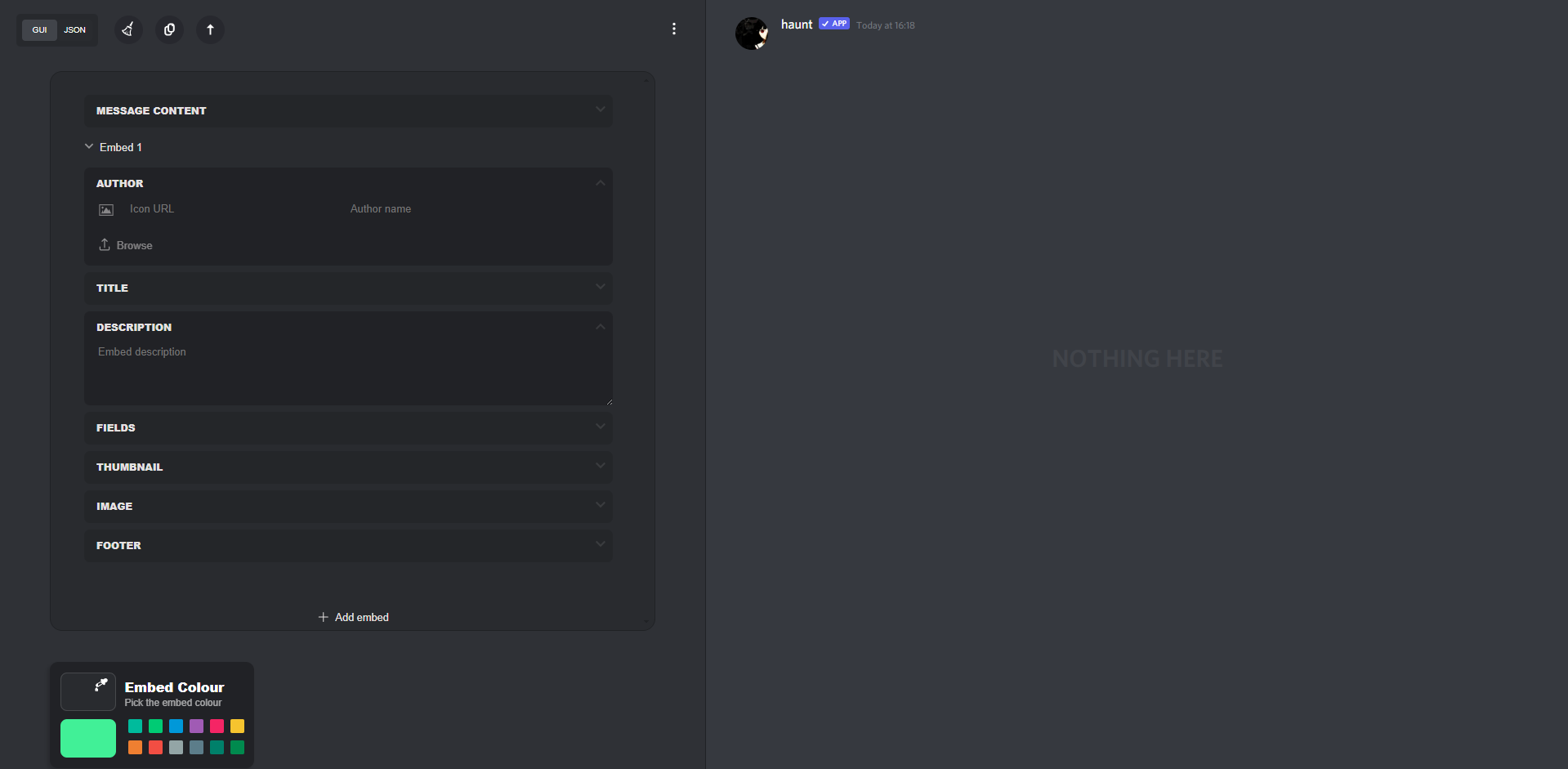
To create an embed, you can create one via haunt's [embed creator](https://haunt.site/embed), this will also show a live preview of how your embed would appear in Discord.
 ### How can I copy the embed script?
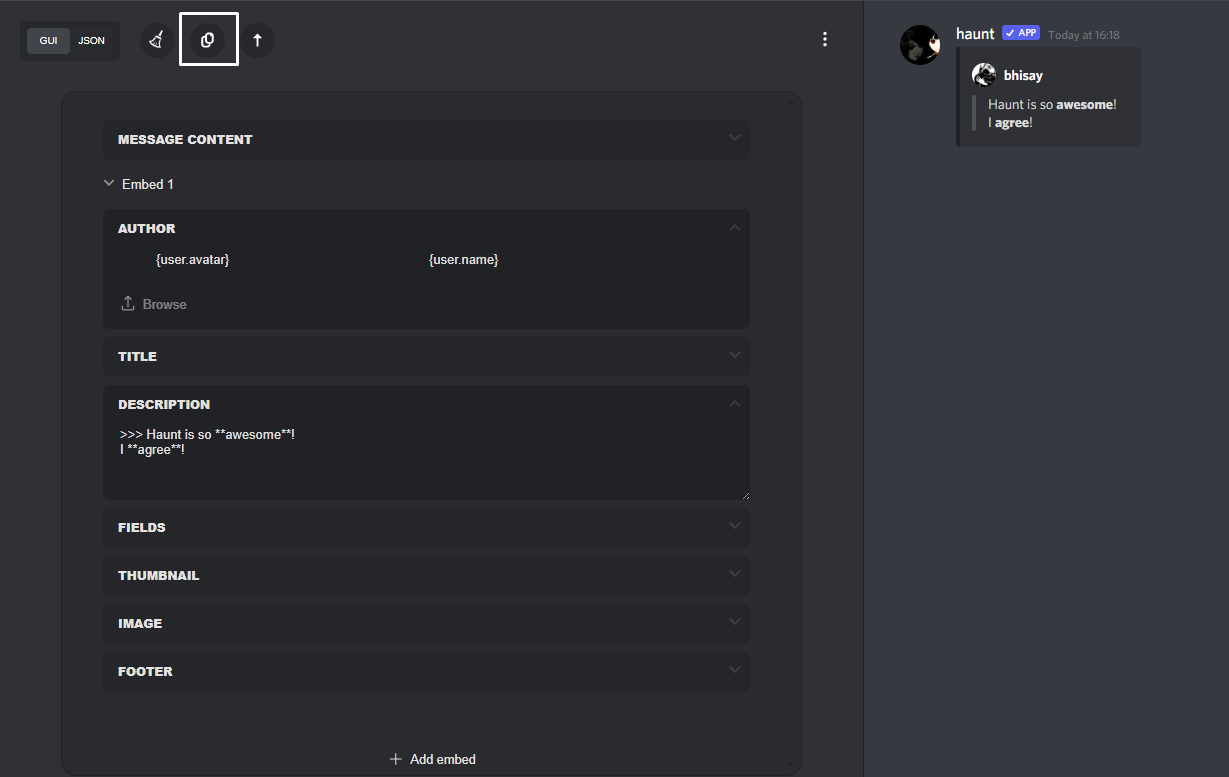
Click the button **highlighted** below to copy your embed script, after doing this follow the next instruction.
### How can I copy the embed script?
Click the button **highlighted** below to copy your embed script, after doing this follow the next instruction.
 ## Creating an Embed in Discord
 ## How can I use a Variable in an Embed?
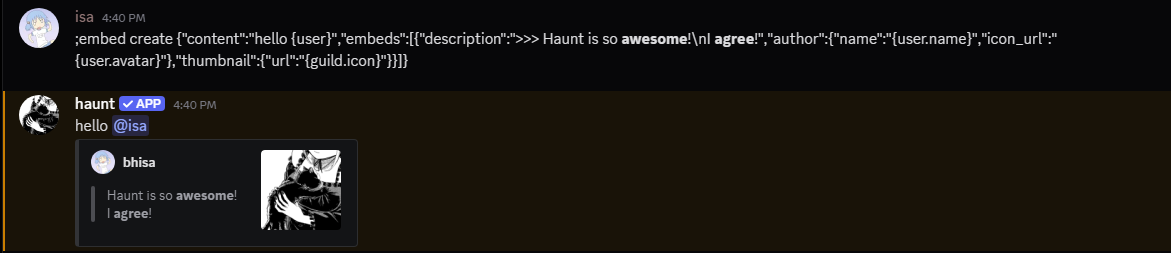
 In the attachment above, I used the `{guild.icon}` variable.
For a list of haunt's available variables you can check them [here](/resources/embeds/variables)
## What commands support Embeds?
The following content below are examples of commanmds that fully support embeds for custom messages.
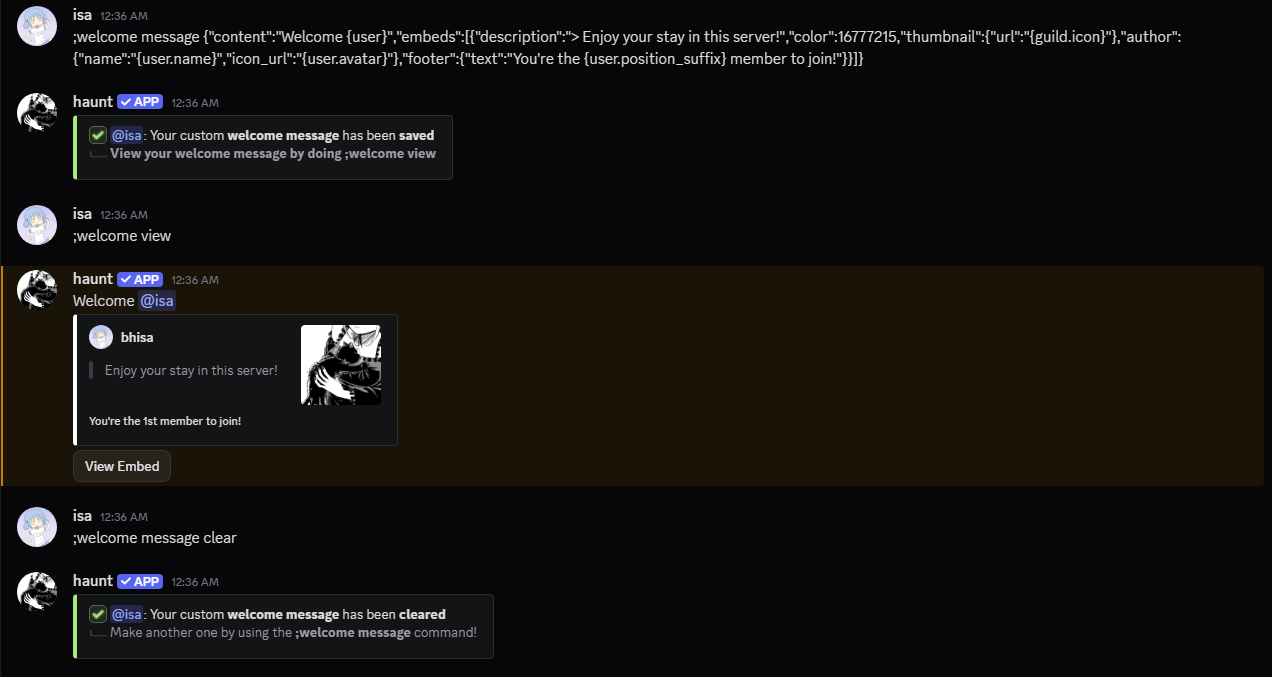
To clear these messages run the command with the `clear` subcommand.
The following image below is another example of how to set, view and clear the custom message you've created.
You can use these subcommands with the commands mentioned below.
 * `welcome message`
* `goodbye message`
* `boost message`
* `bump message` & `bump thank`
* `discadia message` & `discadia thank`
* `level message`
* `joindm message`
* `vanity message` & `vanity revoke`
* `clan message` & `clan revoke`
* `lastfm message`
* `birthday message`
* `sticky message`
* `response create`
* `invoke` (refer to [here](/security/moderation) for the available subcommands for invoke messages)
## Create an Embed in the Discord App
Don't want to use the website?
* `welcome message`
* `goodbye message`
* `boost message`
* `bump message` & `bump thank`
* `discadia message` & `discadia thank`
* `level message`
* `joindm message`
* `vanity message` & `vanity revoke`
* `clan message` & `clan revoke`
* `lastfm message`
* `birthday message`
* `sticky message`
* `response create`
* `invoke` (refer to [here](/security/moderation) for the available subcommands for invoke messages)
## Create an Embed in the Discord App
Don't want to use the website?
You may also use the `/embed` slash command to create an embed!
This command is still in beta and may subject to break
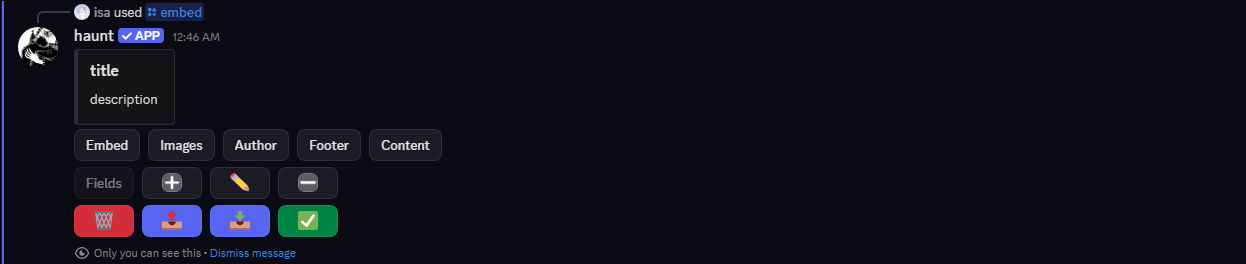 After you're done creating the embed of your choosing.
Click the `export` button to get your embed script.
 Upon clicking this button, You may see a file uploaded of your embed script.
Copy the **embed script** to use it with the commands mentioned or you can send the embed to the current channel.
