> ## Documentation Index
> Fetch the complete documentation index at: https://docs.haunt.site/llms.txt
> Use this file to discover all available pages before exploring further.
# Last.fm
> Last.fm integration to show off what you're listening to or compare stats with other members.
Haunt's prefix is set to `;` by default.
Use `;prefix set [character]` to change the prefix for your server.
## Setup
Setup haunt to your last.fm account to show off your favorite artists or your listening history.
If you don't have a last.fm account, create one here.
## Logging in
To get started with setting up haunt to your account
Run the following command below
```js theme={null}
;lastfm login
```
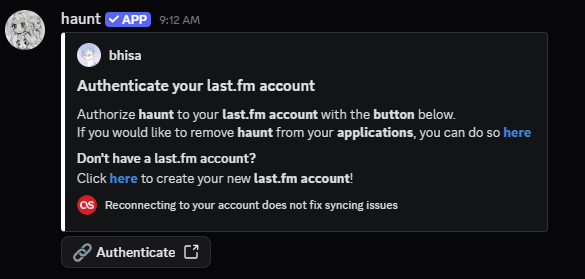
Haunt will send you a DM asking you to authorize your last.fm account with haunt.
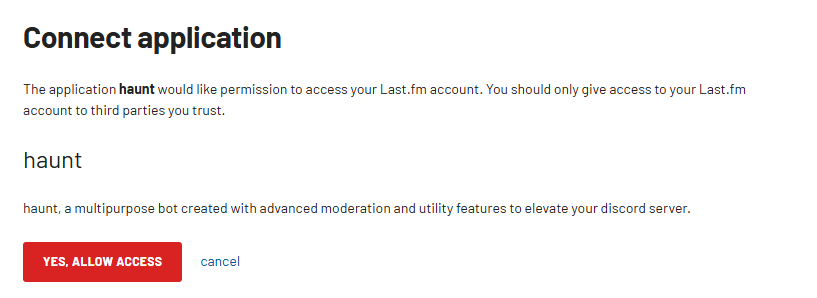
Create or login to your last.fm account and authorize the application.
 ## What now?
That's all to it!
There are many commands you can run to show off your music taste!
Why not try some of them below!
### Show what song you're currently listening to
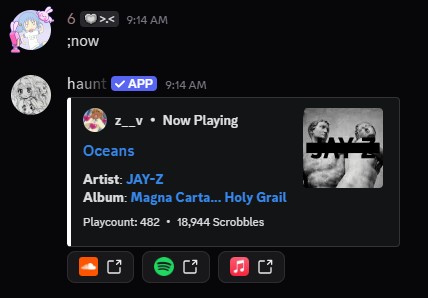
You can use the `nowplaying` command to show what you're listening to!
```javascript Syntax theme={null}
;now [optional member]
```
```javascript Example theme={null}
;now @bhisa
```
### Showing who knows a certain artist
You can use the `whoknows` command to see who knows an artist!
```javascript Syntax theme={null}
;whoknows [optional artist]
```
```javascript Example theme={null}
;whoknows tame impala
```
### View who knows an artist globally
You can use the `globalwhoknows` command to see who knows the same artist as you globally on the bot!
```javascript Syntax theme={null}
;globalwhoknows [optional artist]
```
```javascript Example theme={null}
;globalwhoknows 50 Cent
```
If the `nowplaying` command does not show the correct song, either your **last.fm library** is not updated or you aren't currently scrobbling anything.
 ## Unlinking your account
If you no longer want to use haunt to show your last.fm stats.
Run the command below to remove your last.fm account's data from haunt's database.
```js theme={null}
;lastfm remove
```
## Errors
Most last.fm errors come from the Last.fm API being broken.
I have **no control** over these errors, you would have to wait for Last.fm to fix it.
If you encounter another error, Please let us know in haunt's [Support Server](https://haunt.site/discord).
Removing your last.fm account and readding it **does not** fix any errors.